.png)
Almost all connections from the PortalTalk application to your tenant are established using app permissions, which you granted during onboarding via consent. Unfortunately, not all connections can use this method, and we still need service accounts in some cases. In this article, we explain which accounts these are, what they are needed for, and—most importantly—demonstrate that these service accounts do not pose any security issues.
To clarify the permissions of Service Accounts: PortalTalk does not need or store the active passwords of these accounts. We only require the account to assign it a Microsoft 365 functionality that mandates an account.
It's Safe!
To start with security: the service accounts we use are safe. As you can see in the configuration, we only store the account names and never any passwords. Therefore, PortalTalk cannot log in with these accounts.
Which Accounts Are There and What Are They Needed For?
There are four places where accounts are registered in PortalTalk General settings:
-
Invite members – Exchange Online Mailbox to send PortalTalk mail messages
Used to send system emails from PortalTalk via Exchange Online. This account must be assigned an Exchange Online license.
This account does not log in; permissions are used from the app permissions.
If you choose to send mail via Exchange Online—which is recommended—this field is mandatory.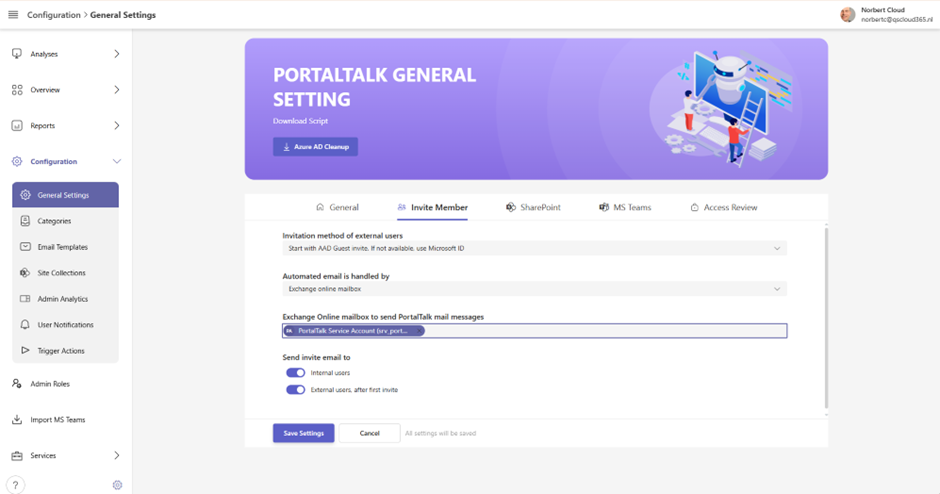
-
SharePoint – Account for creating teamsite (site collections)
If SharePoint teamsite (site collection) workspaces are used in PortalTalk, this account is required.
This field is mandatory, even if you are not (yet) using SharePoint sites.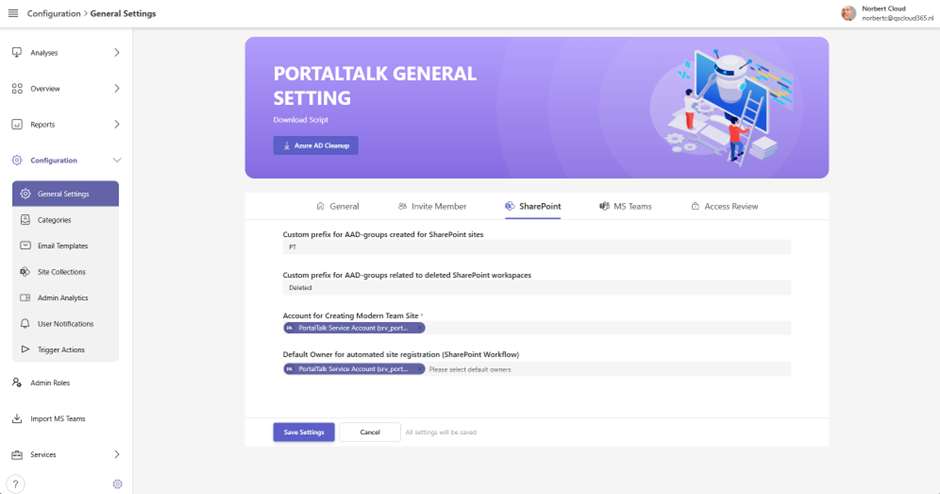
-
SharePoint – Default Owner for automated site registration
If automated site creation via the Customer API is used, this account is needed. Whether you use it depends on your configuration. You will certainly use it if site creation takes place via a SharePoint list. This is not a required field.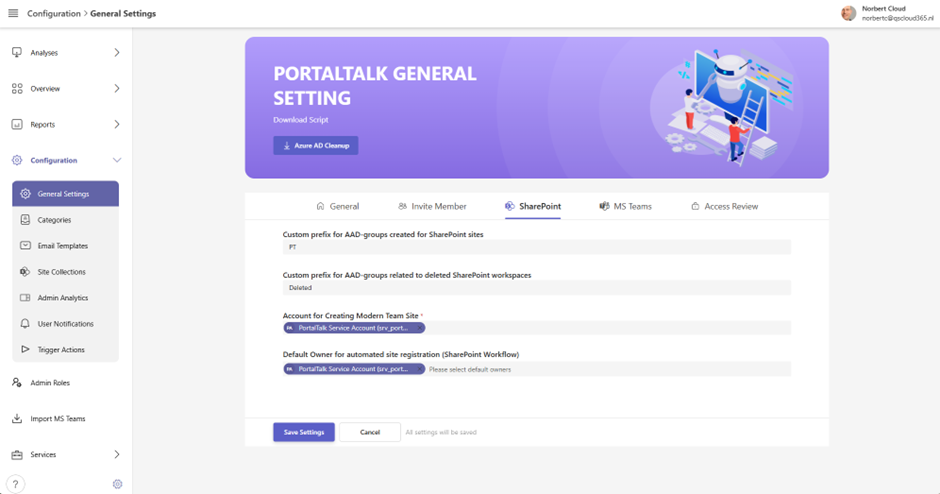
-
MS Teams – Default Owner of Managed member and Archived MS Teams
The basic principle is that every team workspace must have an owner. In two processes within PortalTalk, it is necessary to assign this automatically. Workspaces generated by the Managed Member Service have no owner, only members. Therefore, this account is added as the owner by the service.
The second process concerns the archiving of team workspaces. In this process, current owners are removed and this system account is added as the new owner.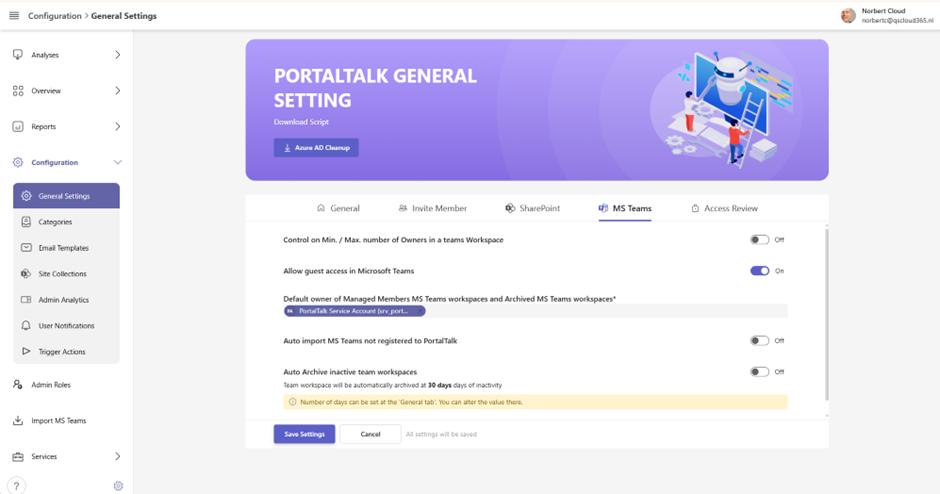
Best Practice Configuration
The best practice setup consists of creating a single system account, for example SRV_PortalTalk. This account should have only the user role and be active. It should have a strong password and may also be configured with MFA. An Exchange license is assigned to enable the system mail functions of PortalTalk.
If desired, multiple system accounts can be created; this is entirely up to you and the standards used within your organization.