.png)
PortalTalk version 2.10 introduced significant changes and enhancements to the Access Review function. The current functionality already sets an industry standard for usability, integration, and performance.
This updated version goes even further. In this article, we will present the new features and how to introduce them to your users.
Additionally, these new functions and their behaviors are included in the PortalTalk User Manual. This background article will provide insights into the use cases, designs, and limitations of the new functionality.
How to deal with limitations of the Access Review
Although this may feel negative, we must outline the limitations of the Access Review process. These limitations stem not only from technical constraints but also from the capabilities of your users, who are only human.
Lets address these:
-
How many documents can an Access Review handle?
-
How many shared documents can a workspace owner control?
-
How can we encourage owners to maintain safety in the organization?
-
How quickly can you conduct an Access Review?
How many documents can an access review handle?
Limited by the capabilities of the Microsoft 365 platform and user patience, there is a cap on the number of documents processed during an Access Review assessment of a workspace.
Our investigation revealed two limits:
-
SharePoint Online and PortalTalk impose a limit on the number of documents that can be processed, currently set at 10,000 documents per team or site.
-
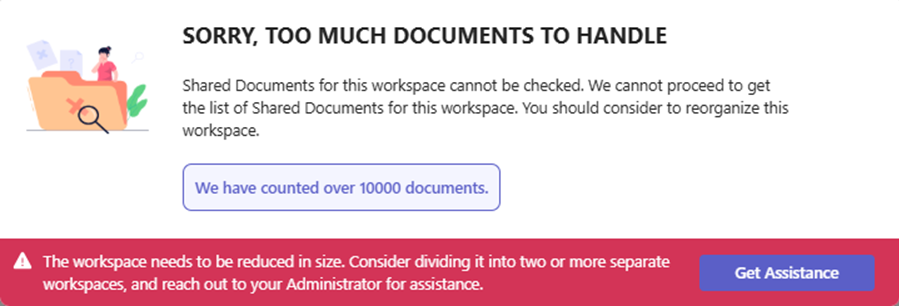
If the limit is exceeded, a friendly pop-up inform the user why the Access Review cannot proceed.
-
A button will allow users to request assistance from the administrator(s). An email with relevant information will be sent to the PortalTalk admins of your company.
-
We will notify the user if their workspace is too large and recommend splitting it into several smaller workspaces. This aligns with best practices for maintaining a well-organized collaboration environment.
-
If you receive any notification emails from users, please assist them in this process. The message the PortalTalk admins will receive looks like this:
Dear PortalTalk Administrator,
Owner Rubby Vife of workspace ‘Project X’ at Category ‘Projects’ asked for your assistance. This workspace has too many documents (more than 10.000]) to perform Access Review on Shared documents.
Please contact Owner ([rubby@vife@toomuch.com) to assist to split up workspace or delete documents
Thank you!
This is a PortalTalk Notification Messages
-
If the number of documents is lower than 2.500, we will immediately start to process the document and search for the shared ones to show the owner.
-
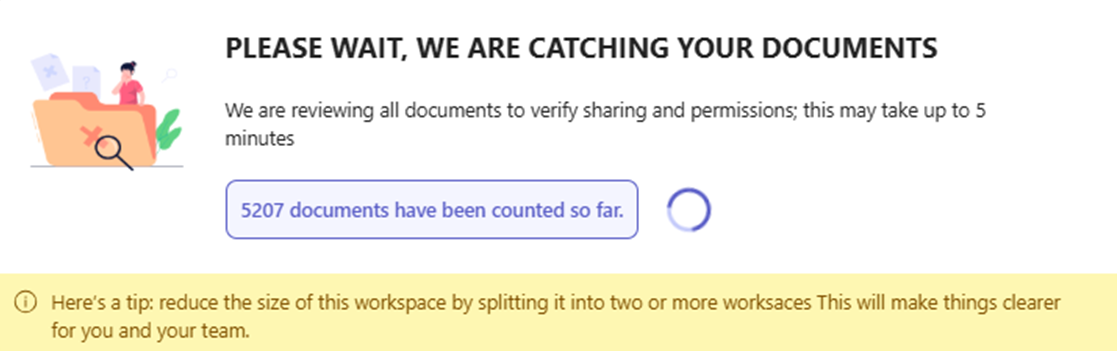
It the number of document is between then 2.500 and 10.000, we will show a friendly reminder and spinner, to hold some time, before the list of Shared Documents is shown.
How many shared documents can a workspace owner control?
Reviewing shared documents is a crucial part of the Access Review process. While sharing documents is beneficial, sharing too many can be problematic. Why? Because many shared link options disrupt document inheritance and create unique permissions for both internal and external users.
The best practice is to limit the number of shared documents in the workspace. The Access Review will help identify documents that the owner can retract if they shouldn't be shared or have been shared for an extended period.
In the enhanced Access Review, we display a maximum of 75 shared documents. We can gather this number efficiently during the Access Review. However, this limit is not arbitrary; we believe that 75 is the maximum manageable by the owner. If there are significantly more, it raises questions about the use of the workspace. Therefore, we provide an assistance button for users to contact PortalTalk Administrators. This email will look like this:
Dear PortalTalk Administrator,
Owner Chrissie Heinz of workspace ‘New Definitions'at Category 'Communities’ asked for your assistance. This workspace has too many Shared Documents (more than 75) to perform Access Review on all Shared documents.
Please contact Owner ChrissisH@bozz.com) to assist to lower the number of Shared Documents
Thank you!
This is a PortalTalk Notification Messages
How can we encourage owners to maintain safety in the organization?
Performing access reviews by workspace owners helps the organization maintain control over data. Our experience shows that owners often dislike conducting these reviews. Clearly explaining their importance can foster understanding.
We should also recognize our beloved access reviewers more frequently. This new function will assist in that effort.
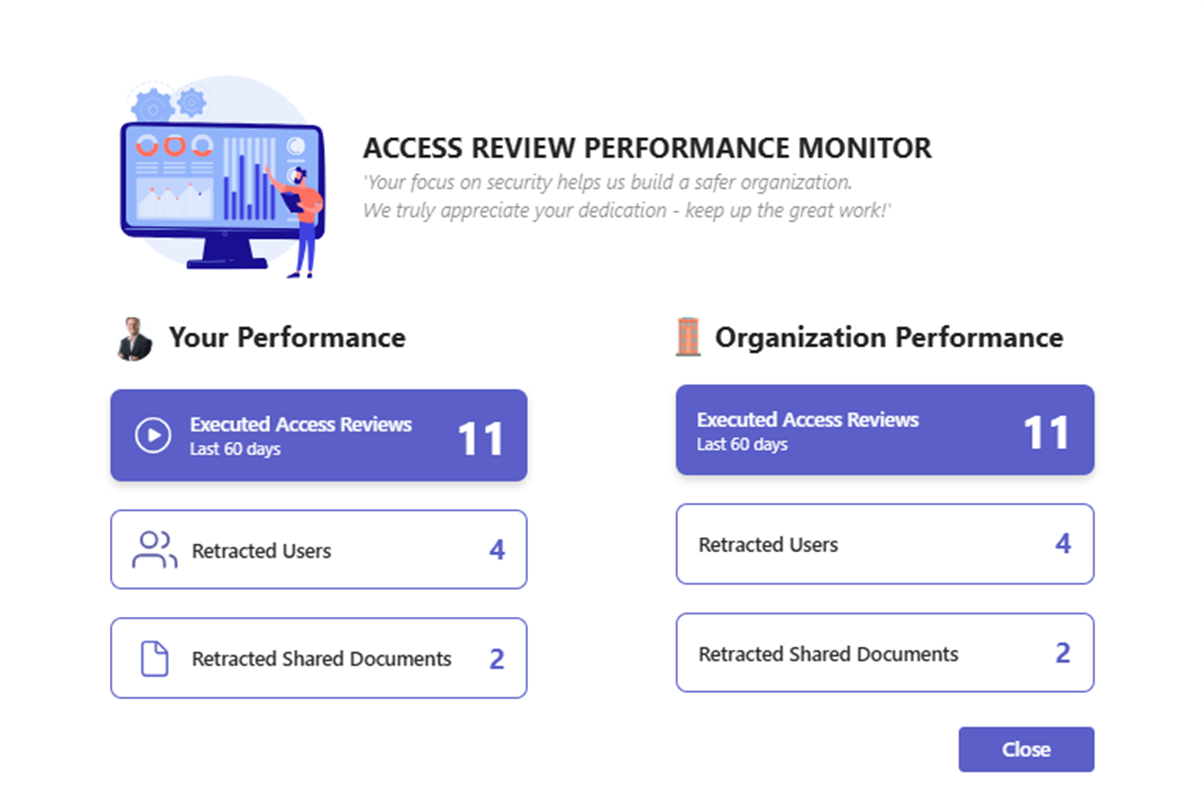
We will display an owner's contributions on the closure screen of the access review. This will highlight their performance over the last 60 days compared to the organization's overall performance. We believe this will clearly demonstrate the positive impact of our owners' work and encourage them in the next round of access reviews.
How quickly can you conduct an Access Review?
Another key aspect of the Access Review process is the time spent on it. We must dedicate enough attention to this process, which requires time. The big question is, what does "some time" mean?
We set the minimum time limit for an Access Review at 7 seconds, manageable even for owners with many smaller workspaces.
If you complete the review too quickly, we will kindly ask you to redo it, with a friendly reminder.

Closure
As you have read, many changes and clear limits have been established for the Access Review process. These changes will help your organization improve the quality of Access Reviews while clarifying the boundaries we consider fair. We also aimed to open lines of communication with your PortalTalk Administrators to assist in cases where help is needed.