.png)
This procedure will update the PortalTalk Team Member Web Part to the latest version as part of the PortalTalk 2.3 release.
This web part should be installed by a user holding the SharePoint Administrator or Global Admin role. Before starting this procedure please logon by the user holding this permission,
-
Open the SharePoint Admin center https://<you tenant>-admin.sharepoint.com in your browser
-
On the left menu, click ‘More features’
-
Click on ‘Apps’
-
This screen will appear
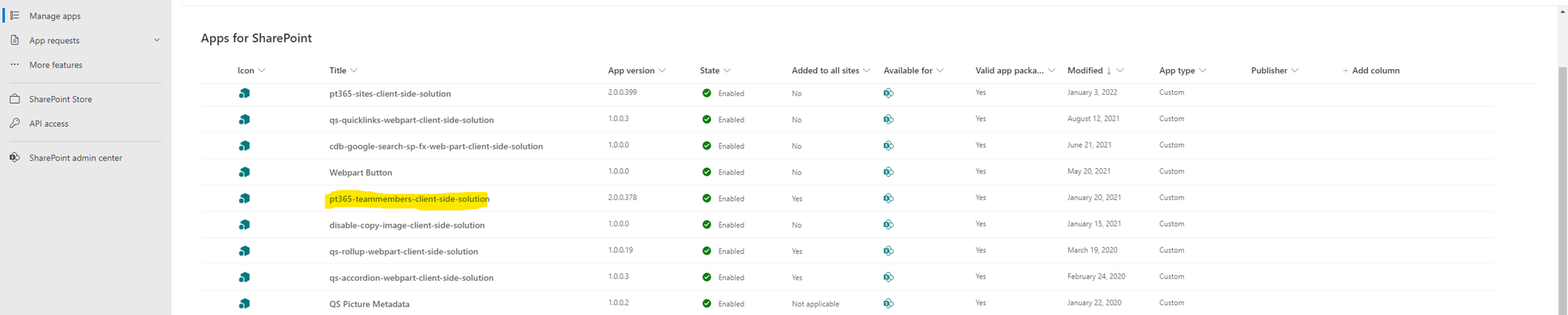
Click to enlarge -
The highlighted app should be in this list. The version number can be different
-
Download the updated Member Web Part, PT365TeamMembers-PROD-2.0.0.550.zip by this LINK
-
Unpack the zip file and move the PT365TeamMembers-AC.sppkg file to your desktop
-
Go back to the SharePoint Admin Center → Apps for SharePoint page in your browser
-
Choose on the top left site the button ‘Upload’
-
Select your PT365TeamMembers-AC.sppkg file on your desktop and select ‘Open’
-
Choose ‘Replace’ to overwrite the current version
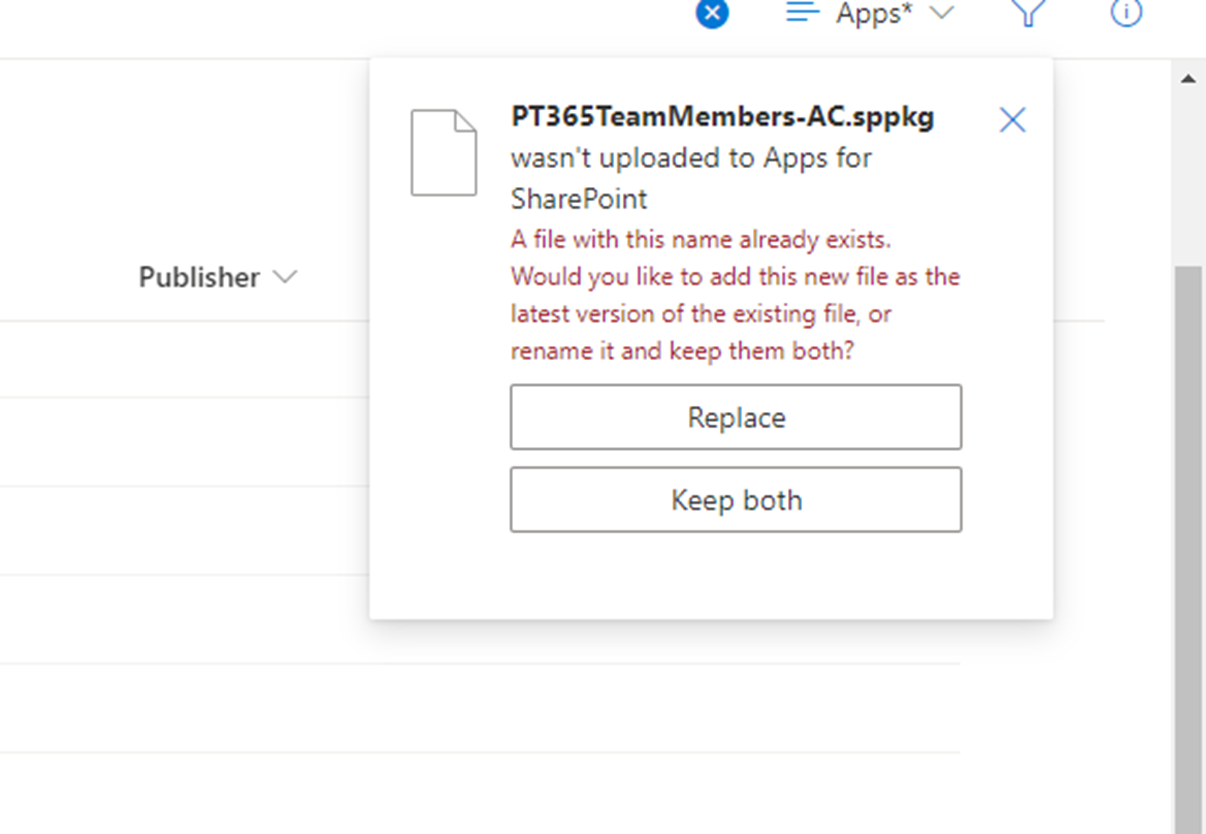
-
The web part file will be uploaded
-
To install the app, choose ‘Enable this app and add it to all sites’ and choose ‘Enable app’
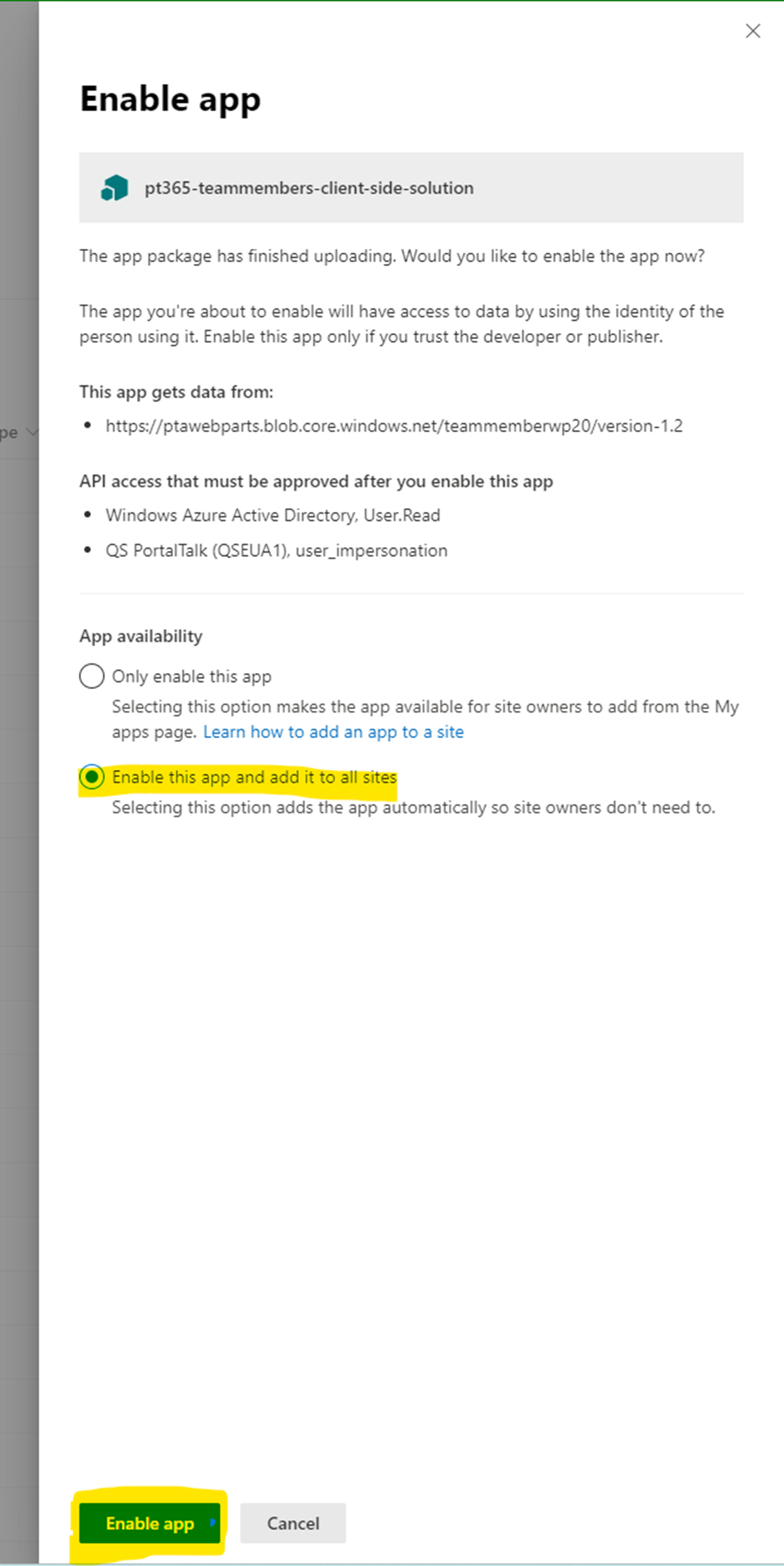
-
You do not have to Approve Access to this app, because that’s already done by the existing version.
So, you can choose ‘I’ll do it later’ -
The update is ready to use now
-
Go to a site were the Member Web Part is installed
-
You will see the Permissions per member are listed now, instead of the User Types
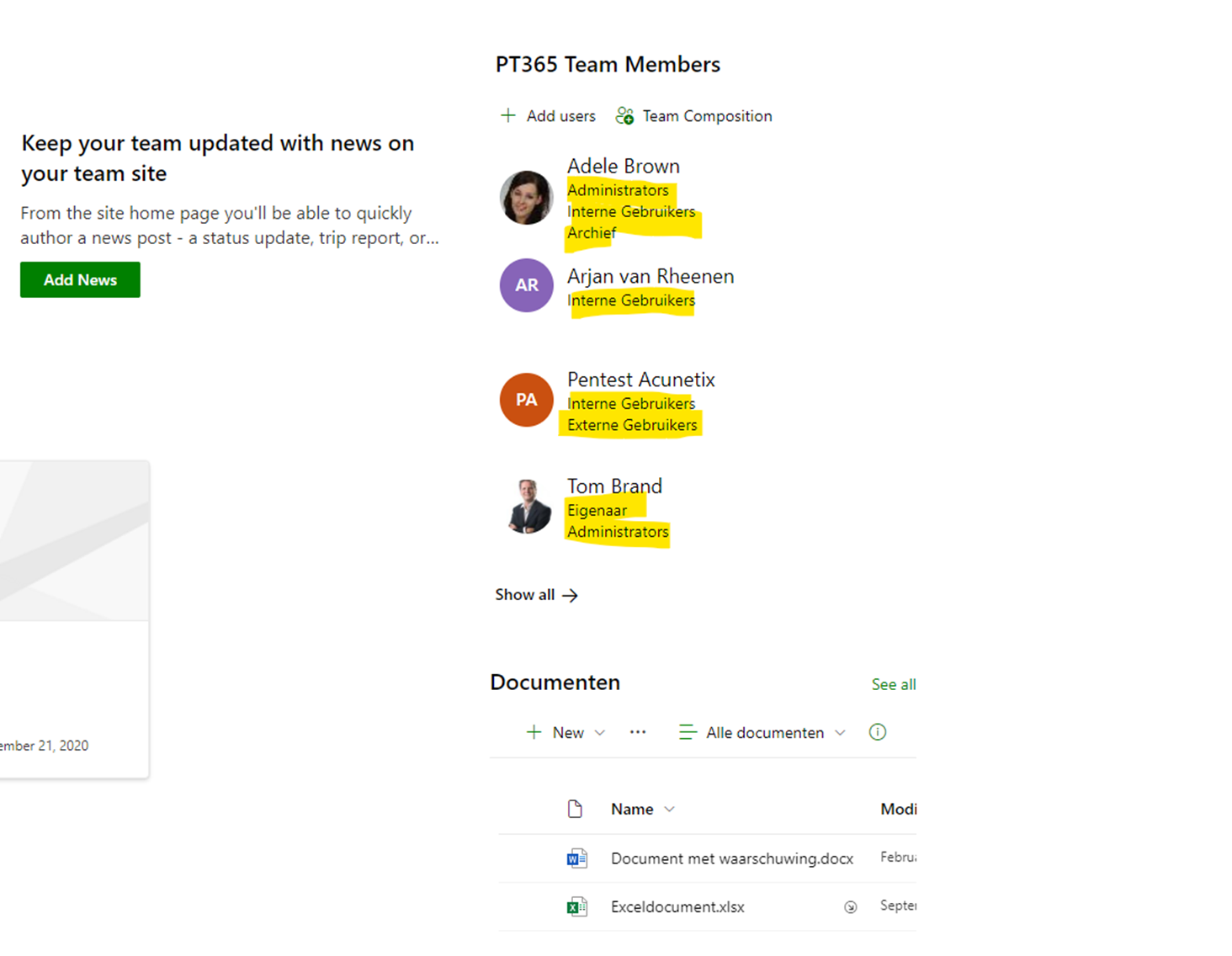
If the updated web part is not working, you can contact our service desk to help you. Just sent an email to our PortalTalk Servicedesk, just by clicking this link.