.png)
Only use this procedure if you are already using the PortalTalk V2.1 MS Teams app.
Update you current PortalTalk MS Teams app V2.1 to V2.2
-
Start downloading the new MS Teams PortalTalk V2.2 app. You can find it on this page ‘Downloads for PortalTalk’
-
Open the Microsoft Teams admin center
-
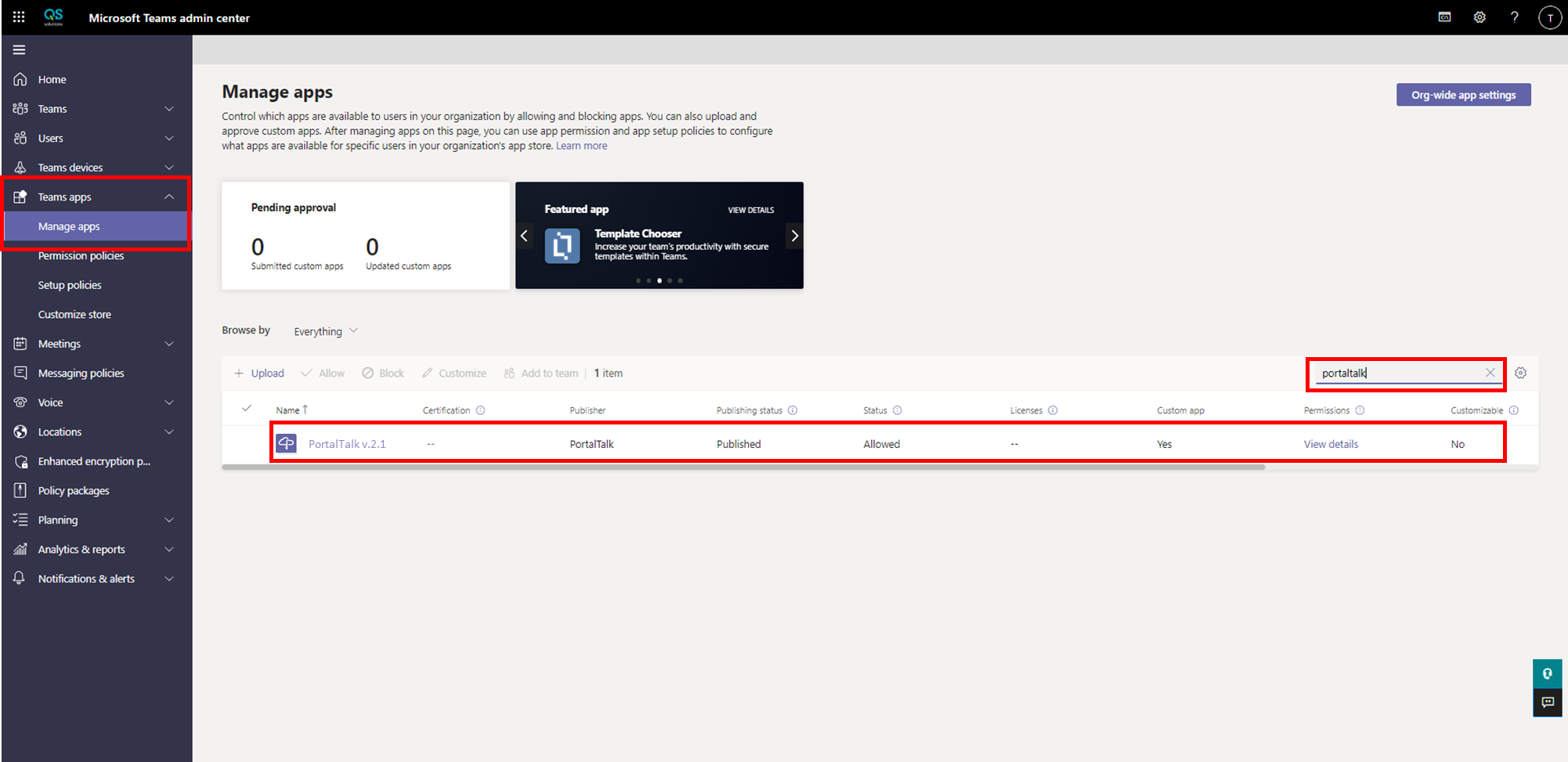
At the main left menu choose: Teams Apps → Manage Apps
-
At the search-box, search for ‘PortalTalk'. There should be only one app listed.
-
Click on the app name and it will be opened
-
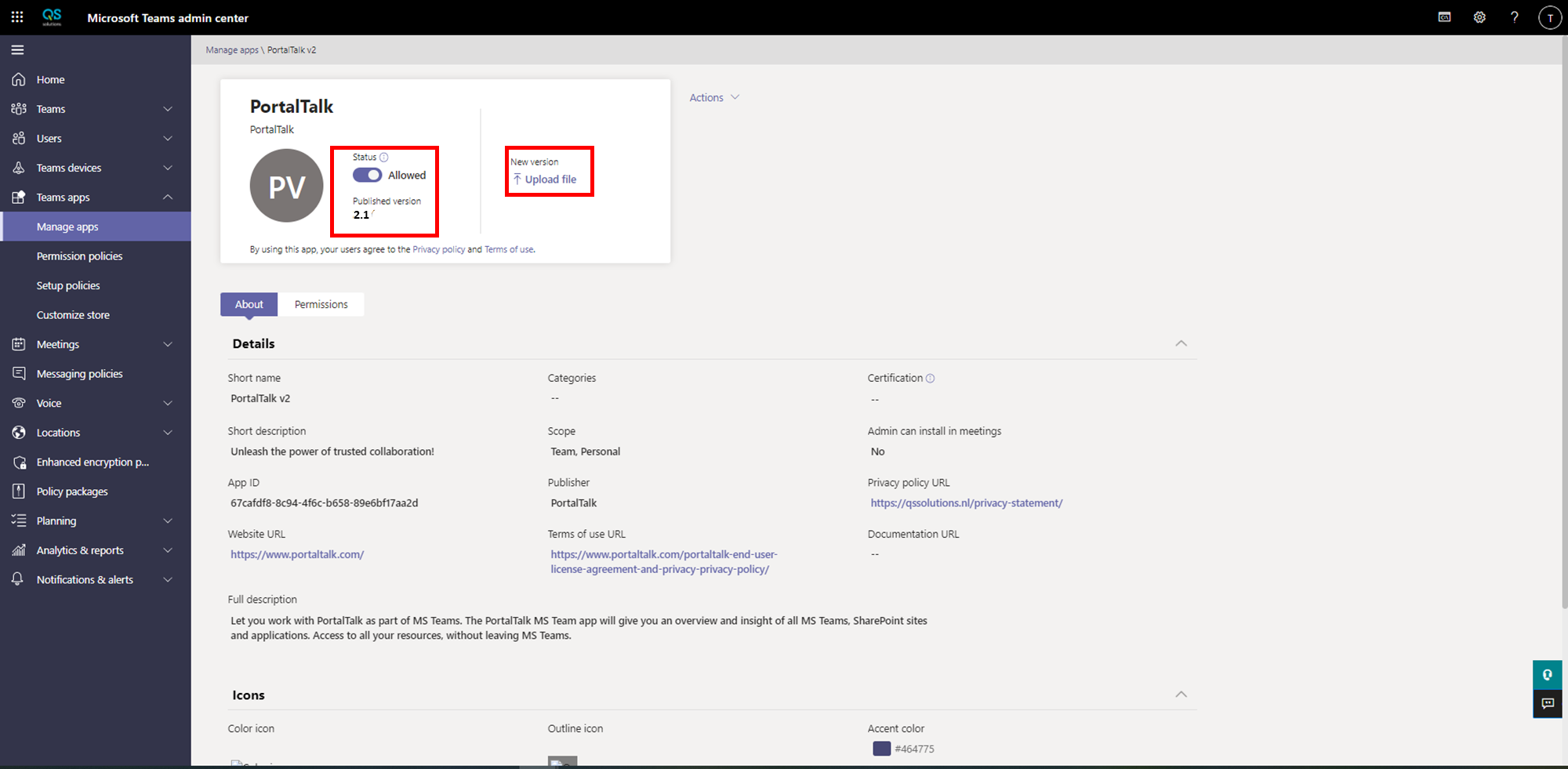
Check if the version of the existing app is 2.1
-
Click on ‘Upload file’
-
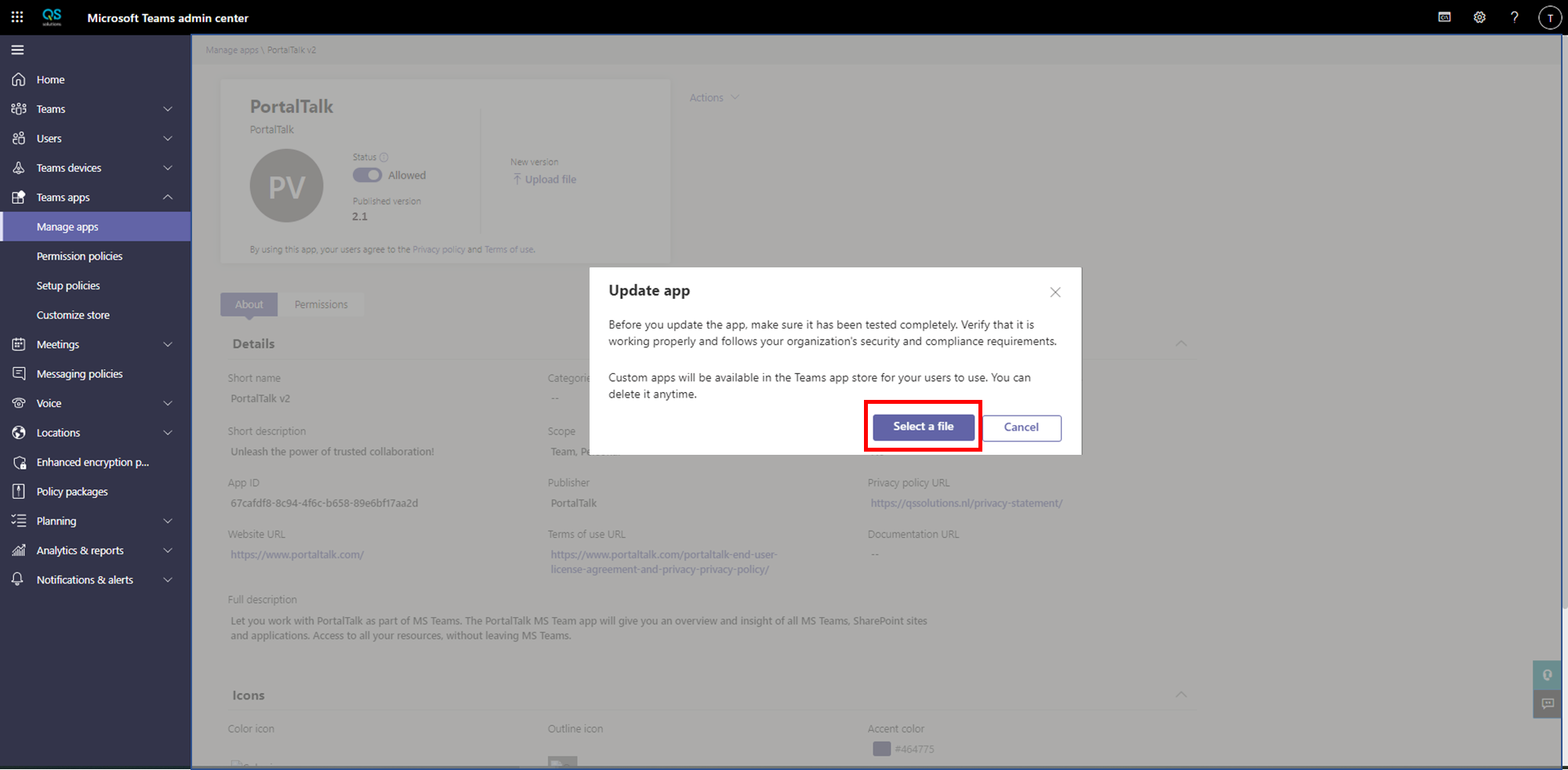
A dialog to upload a file is selected. Select your downloaded PortalTalk MS Teams V2.2.zip file and click ‘OK’
-
The app will be uploaded and updated now
-
As soon as completed, the app should show version 2.2
-
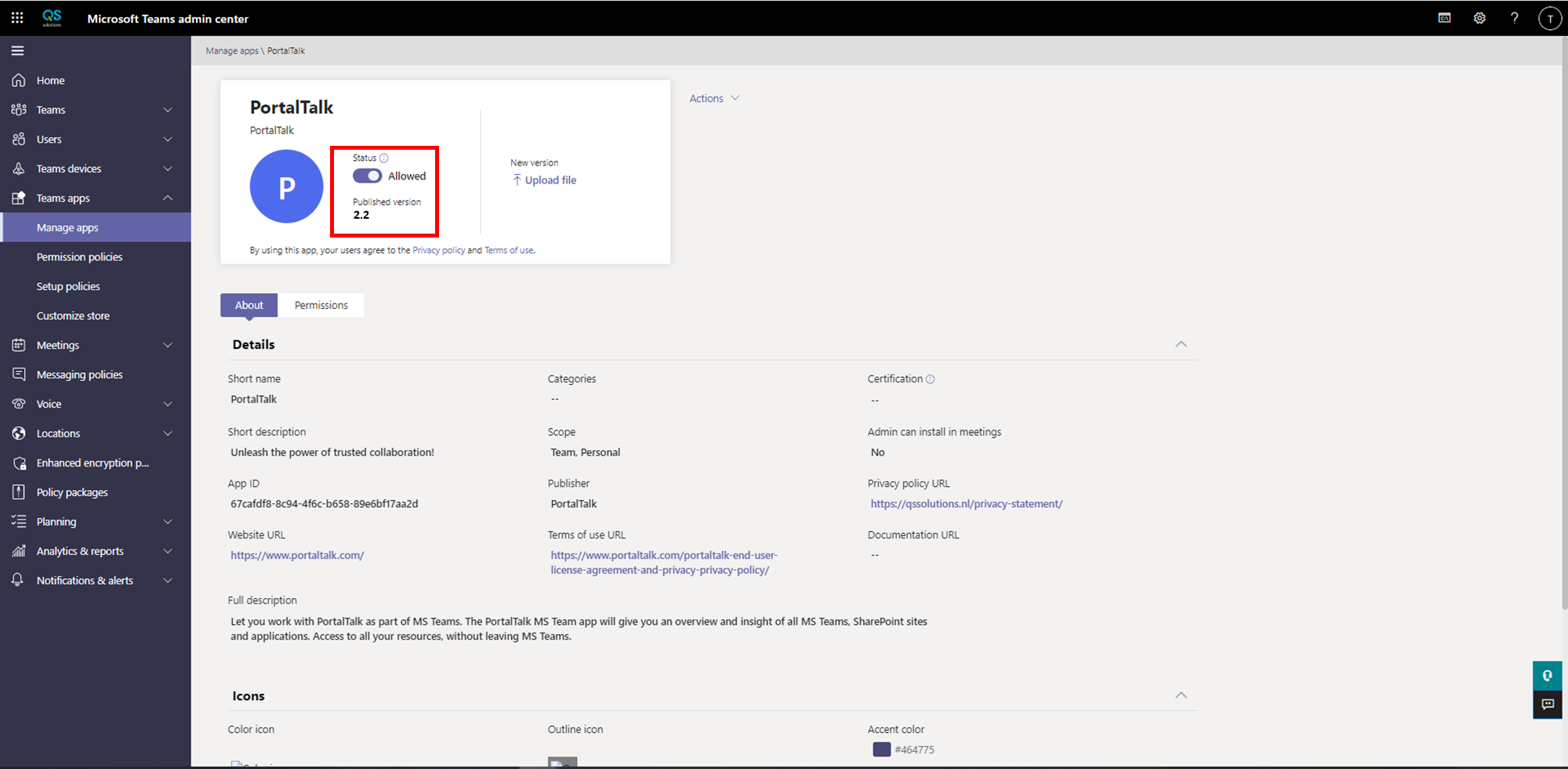
And your done. It could take up to 24 hours before the app update is visible to the end users. All the new functions of the 2.2 release can be used as soon as the update is active.
-
You can speed up this process by log-off/login your MS Teams app. The update should be available in a short moment. This is only working for one user and one MS Teams app at the time.