.png)
Manage the PortalTalk Admin Analytics
The Admin Analytics feature can be enabled or disabled based on your preference. We have already configured them with representative default values, which you can adjust according to your own preferences and experiences.
Only PortalTalk administrators can configure the PortalTalk Admin Analytics.
The Admin Analytics settings page
-
Access the PortalTalk Admin Center.
-
Select the Configuration > Admin Analytics navigation option to open the Manage Admin Analytics page.
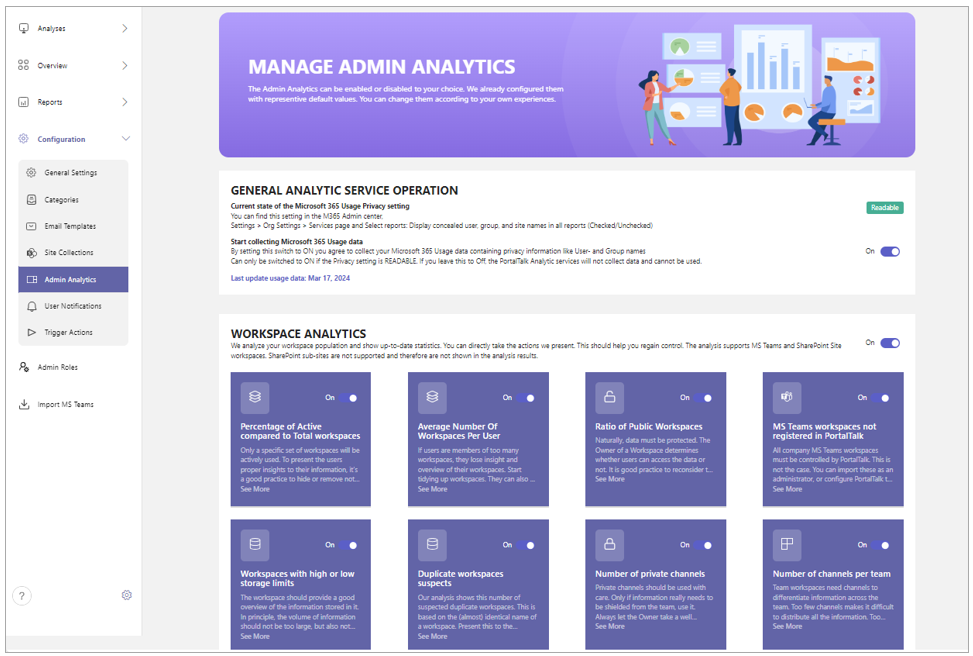
General Analytic Service Operation
Starting September 1, 2021, Microsoft is hiding user information by default for all reports as part of their ongoing commitment to help companies support their local privacy laws.
This default setting needs to be overridden to grant PortalTalk Admin Analytics function access to the necessary information.
-
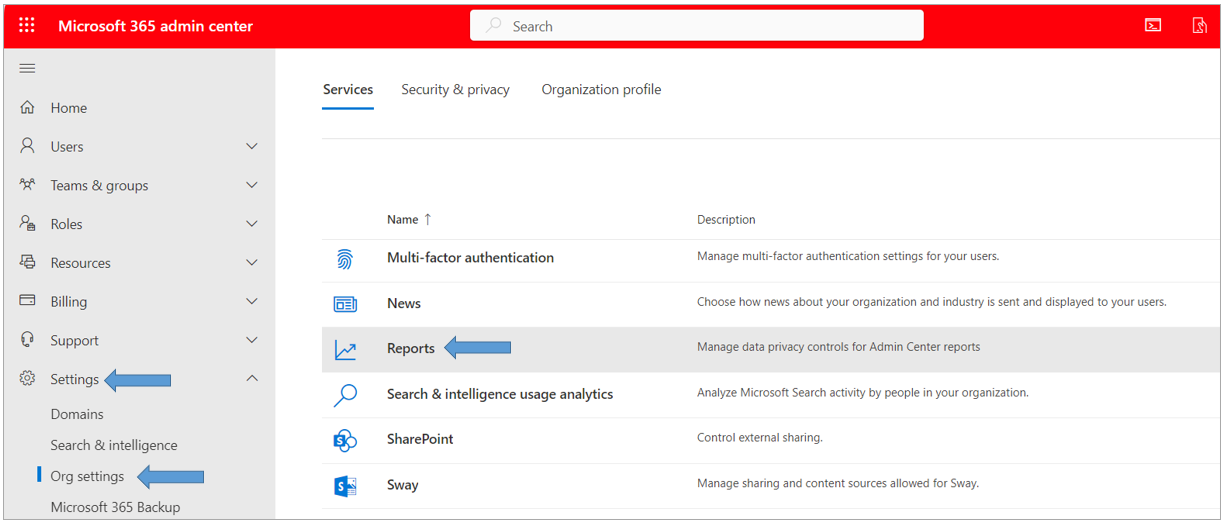
Go to the Microsoft 365 admin center
-
Go to Settings > Org Settings > Services.
-
Select Reports.
-
Clear the checkbox Display concealed user, group, and site names in all reports
-
Click Save.
Now, the PortalTalk setting Current state of the Microsoft 365 Usage Privacy indicator will change from red-framed Unreadable to green-framed Readable. And all configuration settings further down the page become editable.
-
Switch on the setting Start collecting Microsoft 365 Usage data.
Setting the Workspace Analytics
User Analytics