.png)
Cleaning up obsolete AAD-groups related to deleted SharePoint site workspaces
When a workspace is deleted in PortalTalk, the SharePoint groups of the SharePoint site are also deleted.
The AAD groups associated with the deleted site are not deleted. The name of these AAD groups is changed and given a recognizable prefix, usually Deleted_.
A PortalTalk Admin can download a PowerShell script to remove the obsolete AAD groups for these no longer existing sites from the AAD.
-
Access the PortalTalk Admin Center.
-
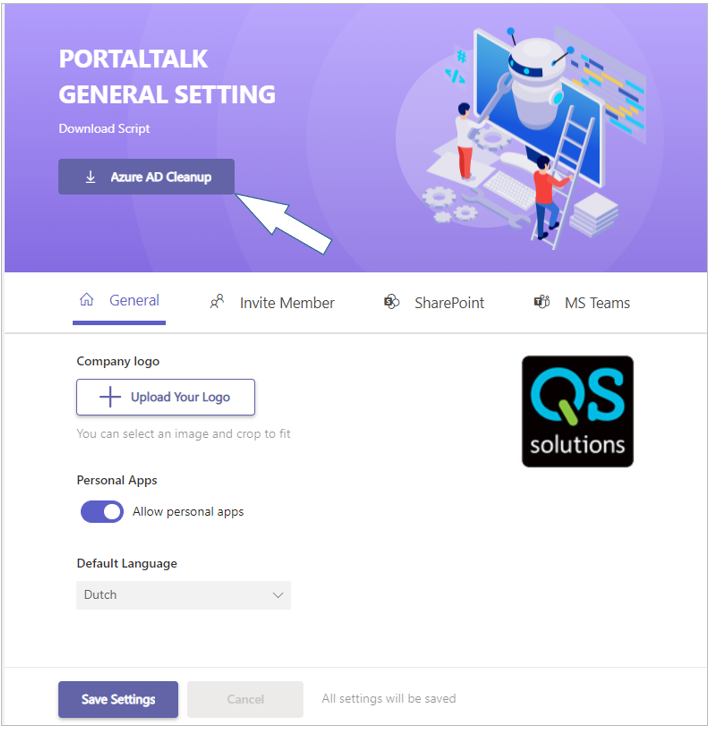
Select the Configuration > General Settings navigation option to open the PortalTalk General Settings page.
-
In the page header, click the Azure AD Cleanup option to download the cleanup script.