.png)
The External User KPI boards
KPI is the acronym for Key Performance Indicator, representing a measurable metric of performance over a defined period for a specific objective.
SharePoint and MS Teams streamline user interactions, enabling productive collaboration between colleagues and external partners. However, while integrating external users into your M365 tenant offers significant advantages, it can also introduce security risks and complicate the processes of provisioning and de-provisioning access.
How many external users are currently active or blocked in your tenant? External accounts associated to workspace members which have been removed by Access Review become blocked, and these accounts should be removed by the Entra ID User Administrator.
-
Access the PortalTalk Admin Center.
-
Select the navigation option Analyses ➖ External Users to access the External User Analytics page:
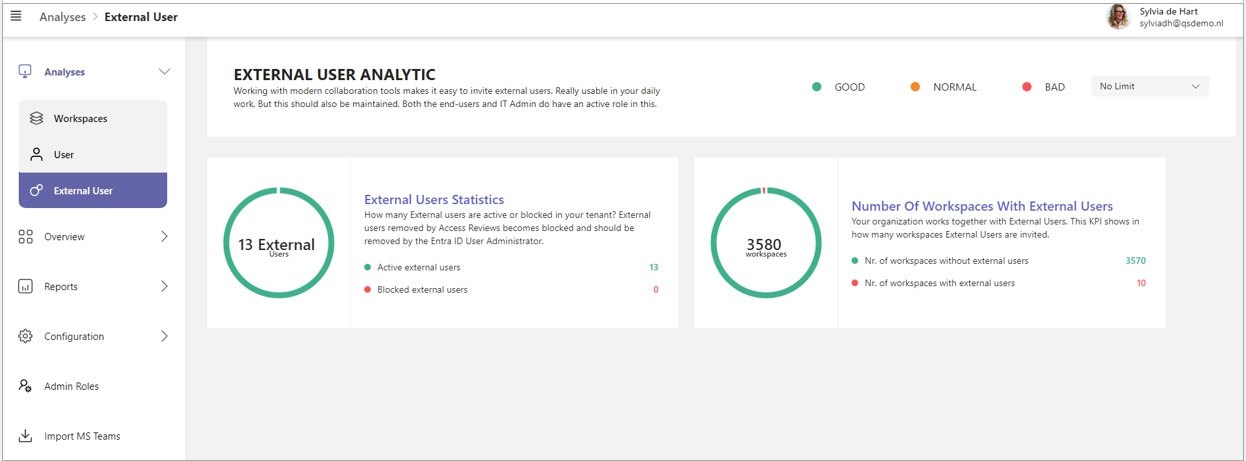
Each KPI board provides statistical information on your MS365 tenant’s guest user population.
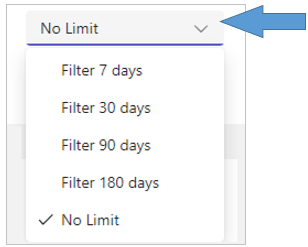
With the filter function at the top right corner of this page you can narrow down the duration of the past period over which the KPIs are calculated.
The following User KPIs are offered:
-
External Users Statistics
-
Number Of Workspaces With External Users
External Users Statistics
This KPI provides insight into the current population of active and inactive external users.
For the KPI board to generate output, the KPI must be activated and configured.
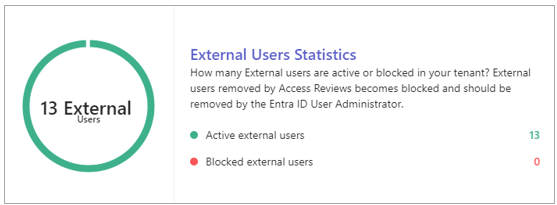
The KPI value represents the percentage of external users relative to the total user base. Additionally, the board provides the numbers of external users, detailing both active and blocked external users.
-
Click the board to expand and view an explanation of the KPI, including any advice provided:
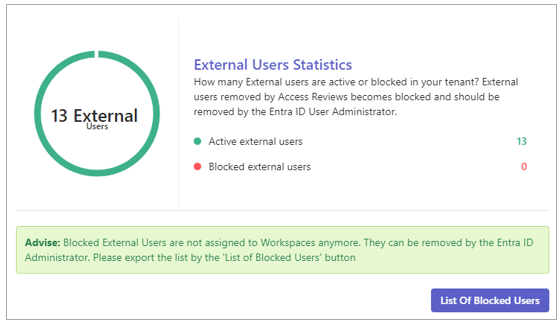
The bottom part of the expanded board lists any advice offered and any recommended action.
-
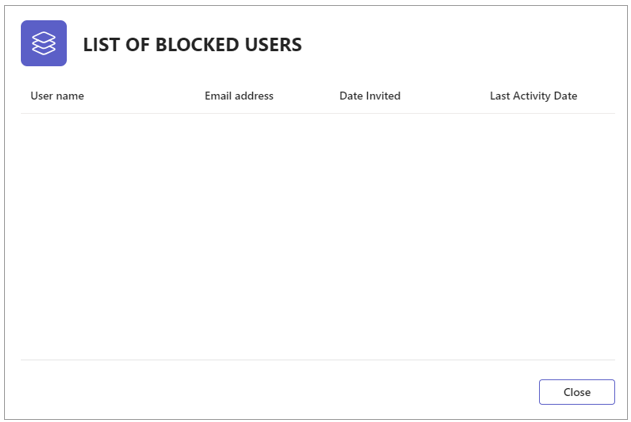
Click the List of Blocked Users button to obtain a list of the workspaces without Owners.
Number Of Workspaces with External Users
This KPI tracks the number of workspaces where External Users are actively invited to collaborate, reflecting the level of integration with external stakeholders within our organization.
For the KPI board to generate output, the KPI must be activated and configured.
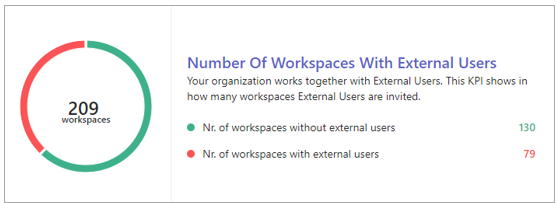
The KPI graph depicts the ratio between workspaces that include external team members and those that do not. Additionally, the board displays the specific numbers of workspaces in each category.
-
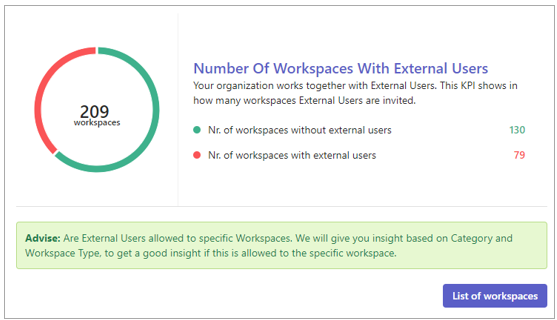
Click the board to expand and view an explanation of the KPI, including any advice provided:
-
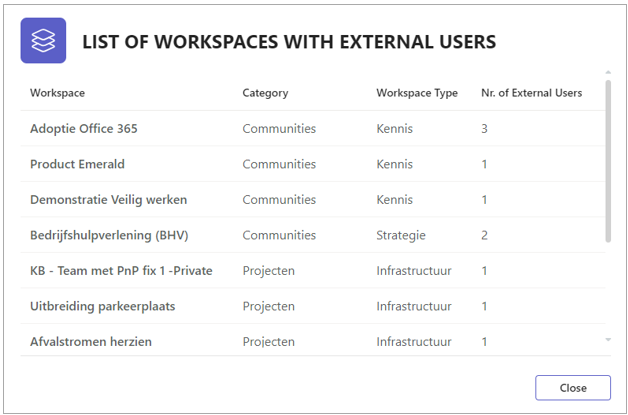
Click the List of Workspaces button to obtain a list of the workspaces with external team members.