.png)
Reporting on Workspaces
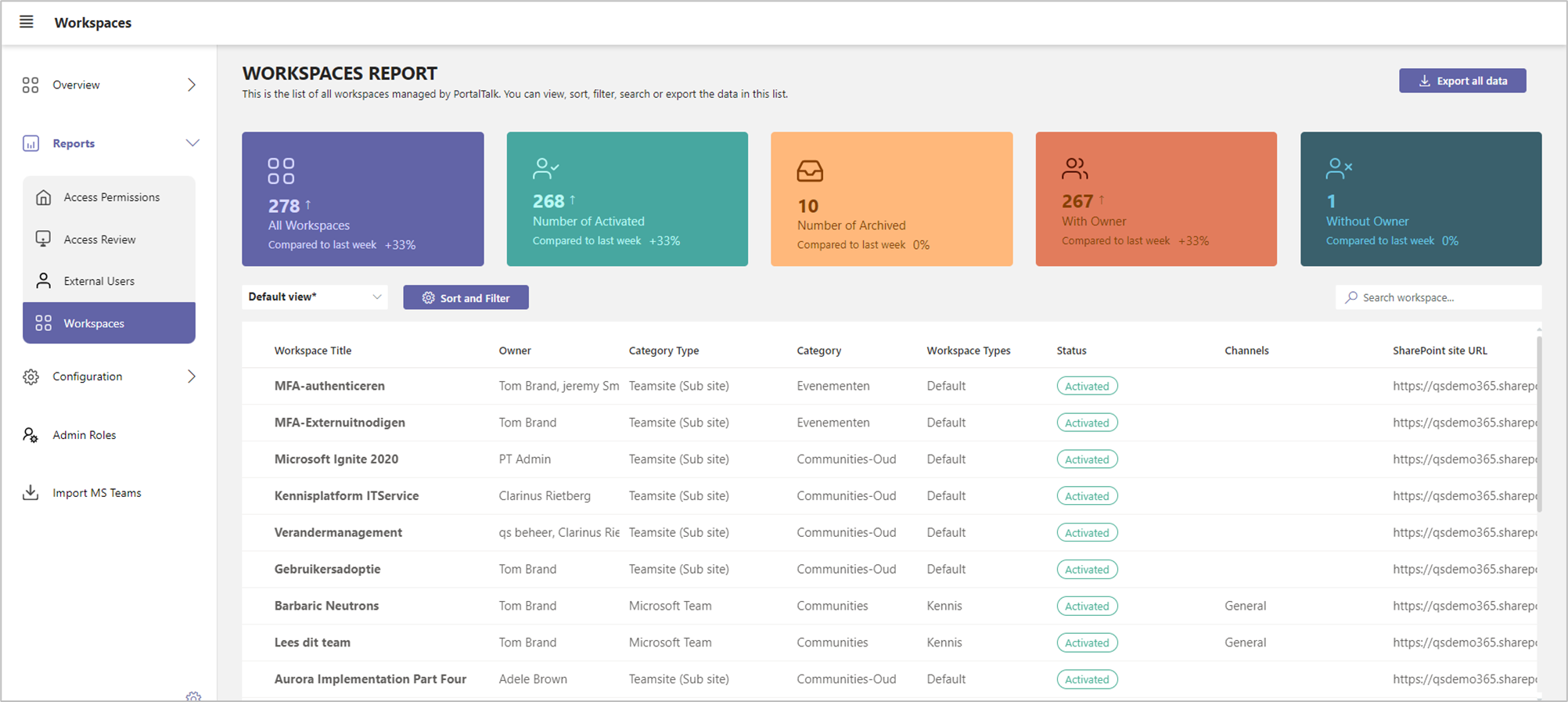
To maintain an overview of which workspaces are managed through PortalTalk, PortalTalk offers the Workspaces report.
For each workspace, the report displays the workspace’s features, like Workspace Title, Owner(s), Category, Category Type, Workspace Type and URL.
You can sort and filter the report on various report dimensions and you can save the resulting overview. You can export the resulting view to MS Excel for further analysis, editing or sharing
If so required, refer to the chapter on using the PortalTalk Admin Reports for a detailed explanation.
-
Access the PortalTalk Admin Center.
-
Select the navigation option Reports ➖ Workspaces to access the Workspaces Report:
-
Click the SharePoint site URL or the MS Teams URL of a workspace to navigate to the corresponding site.