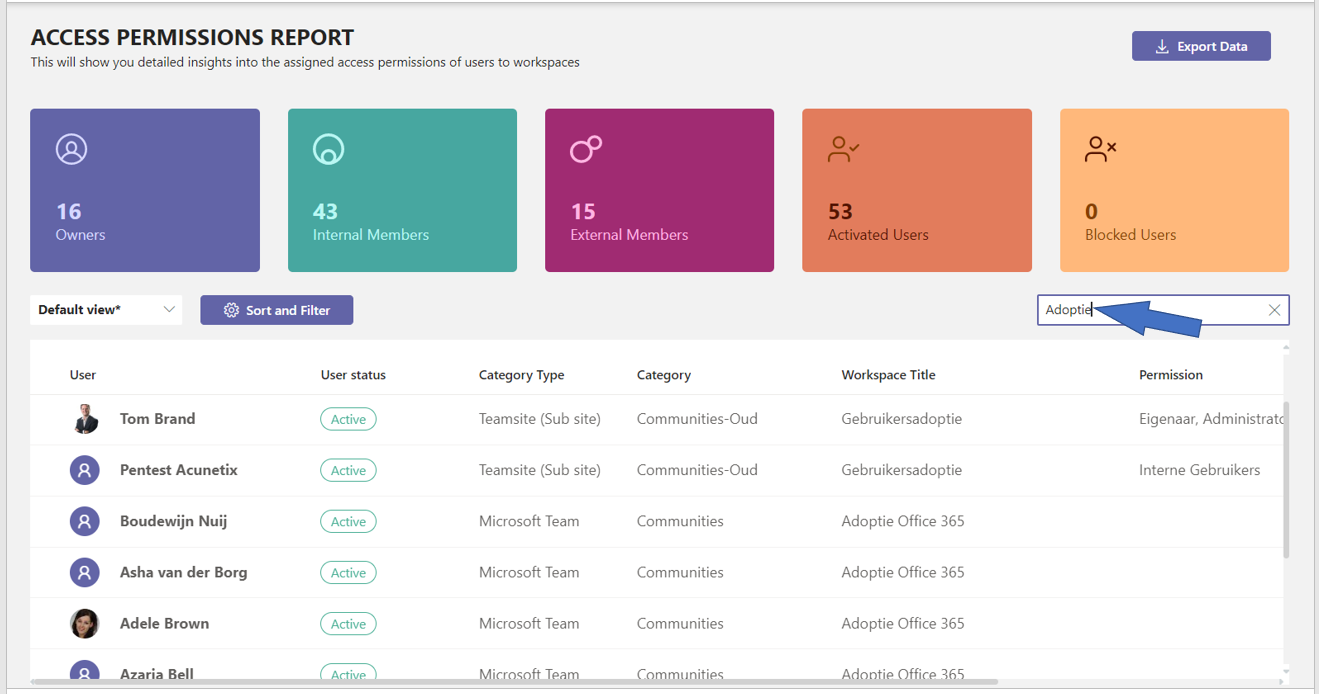
.png)
Overview of access permissions
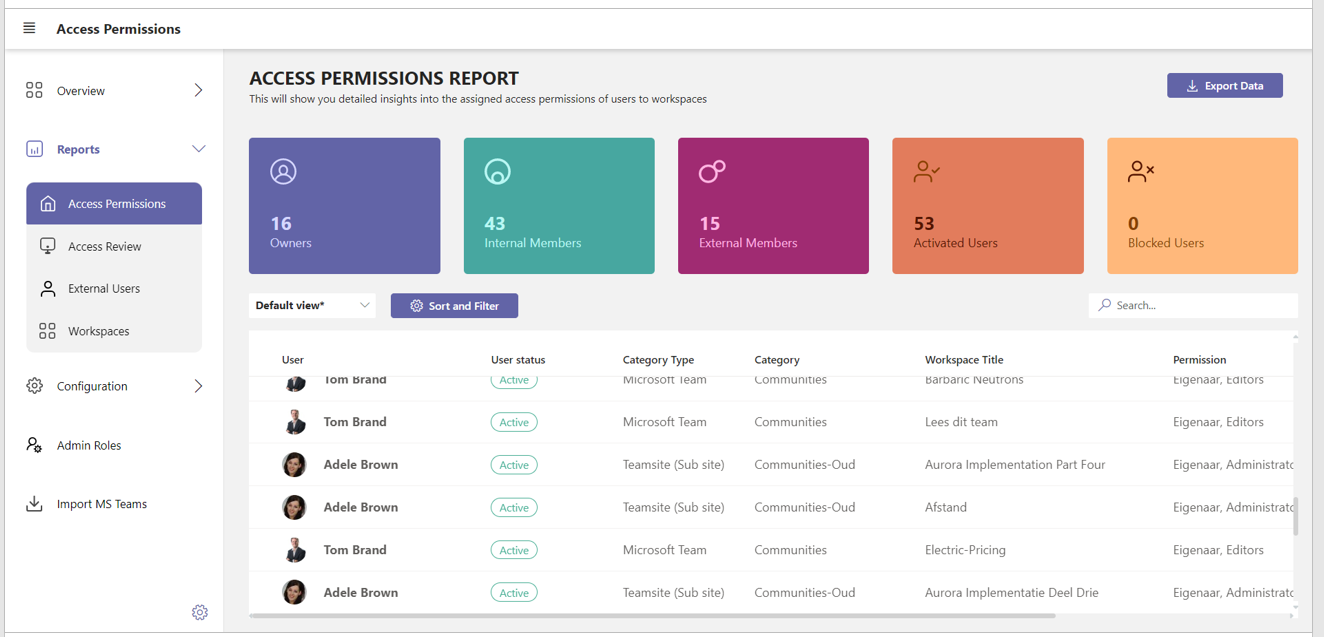
To keep an overview of which users have access to which workspaces, PortalTalk offers the Access Permissions Report.
This report displays all individual team member/workspace combinations with the permissions in effect.
In the report you can filter on a specific team member and / or on a specific workspace and save the resulting overview.
You can export the resulting view to MS Excel for further analysis, editing or sharing
If so required, refer to the chapter on using the PortalTalk Admin Reports for a detailed explanation.
-
Access the PortalTalk Admin Center.
-
Select the navigation option Reports ➖ Access Permissions to access the Access Permissions Report:
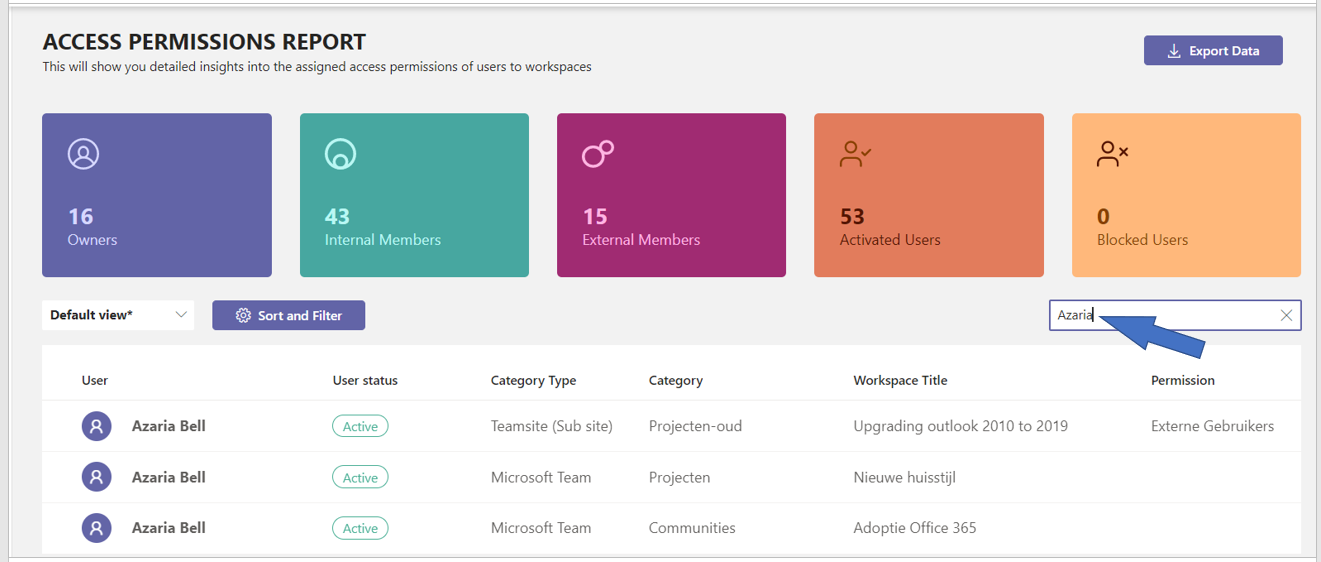
Verify to which workspaces a user has access permissions
-
Enter (part of) the user's name in the search box and press the Enter key.
Verify which users have access permissions to a specific workspace
-
Enter (part of) the workspace's name in the search box and press the Enter key.