.png)

Further breakdown a Teamsite (Site collection) workspace category into workspace types
A Teamsite (Sitecollection) workspace category can be further broken down into subcategories referred to as workspace types.
This allows multiple types of workspaces to be included within a single category with different settings.
All category configuration actions are performed from the category list view in the Admin Center.
In the third step of the Teamsite (Site collection) category configuration process, the category’s workspace types can be configured.
If necessary, refer to the page on the PortalTalk workspace categories configuration steps for an explanation of the entire process.
Access the Manage Workspace Types form
-
Access the PortalTalk Admin Center.
-
Select the Configuration - Categories navigation option to access the Workspace Category list.
-
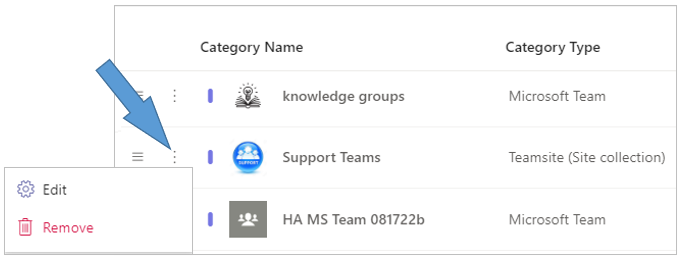
Find the workspace category of type Teamsite (Site collection) for which you need to configure a workspace type.
-
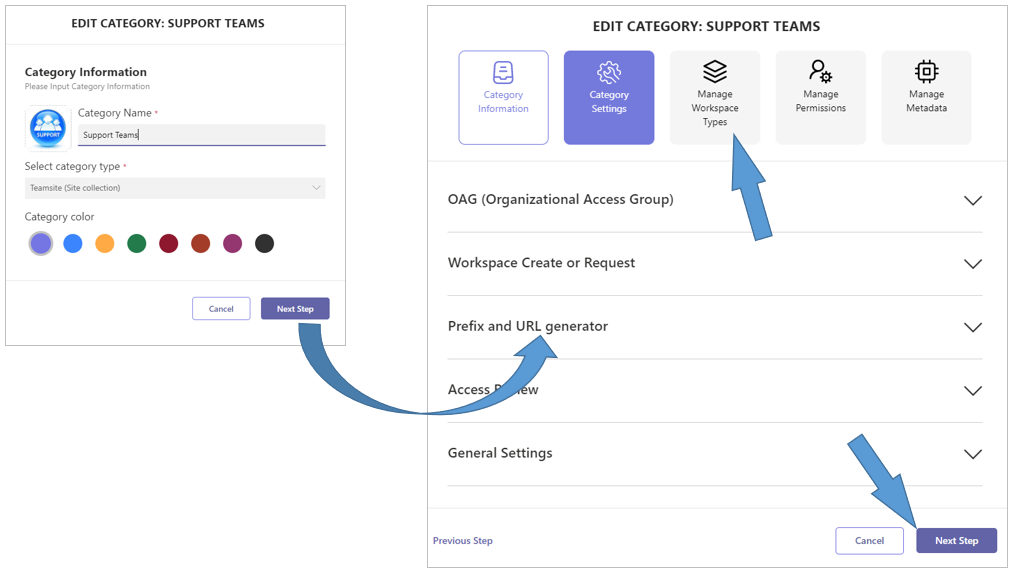
Click the category’s ellipsis menu button and select the Edit option to open the Edit Category form.
-
Click the Next Step option to obtain the tabs for the subsequent configuration steps.
-
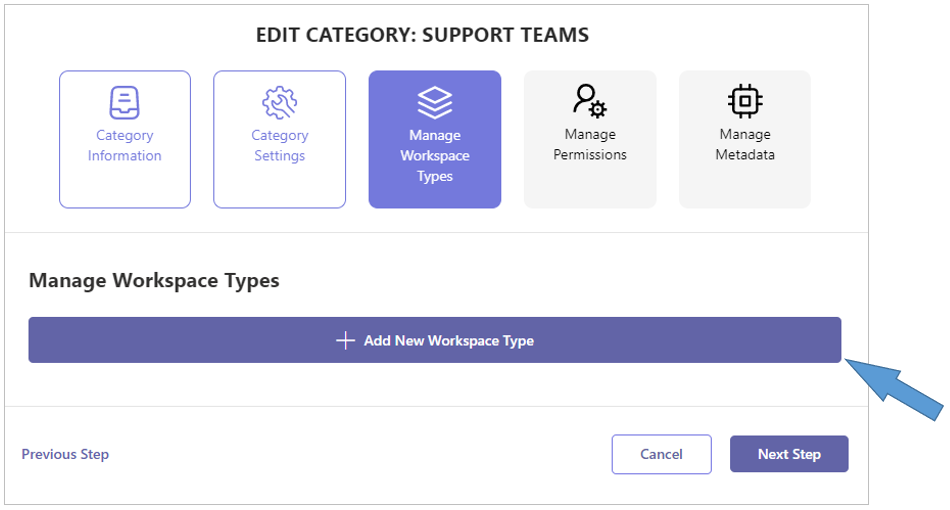
Click the Manage Workspace Types tab to open the related form.
-
Click + Add New Workspace Type.
-
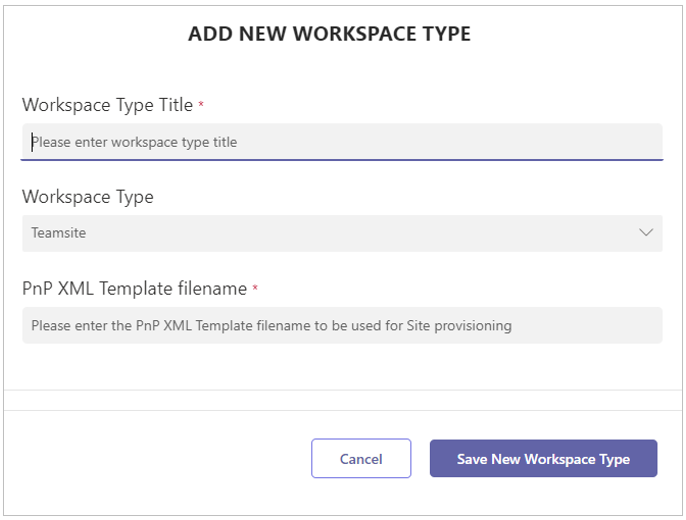
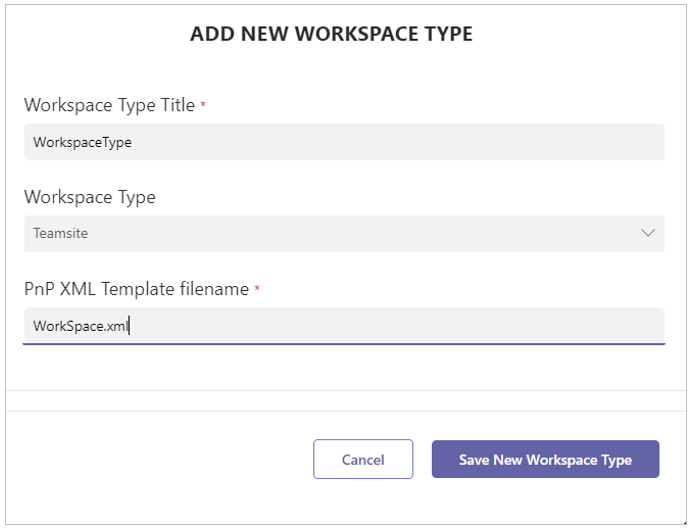
Workspace type title- Enter the name for the workspace type.
-
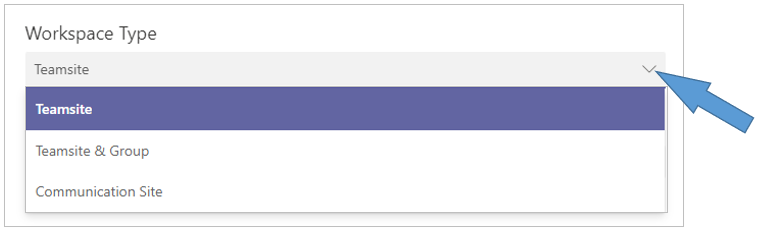
Workspace type - Teamsite / Teamsite&Group / Communication Site - Select the appropriate value
-
PnP XML Template filename - Enter the name of the AAD script that creates and configures the workspaces for this workspace type.
-
Click Save New Workspace Type.
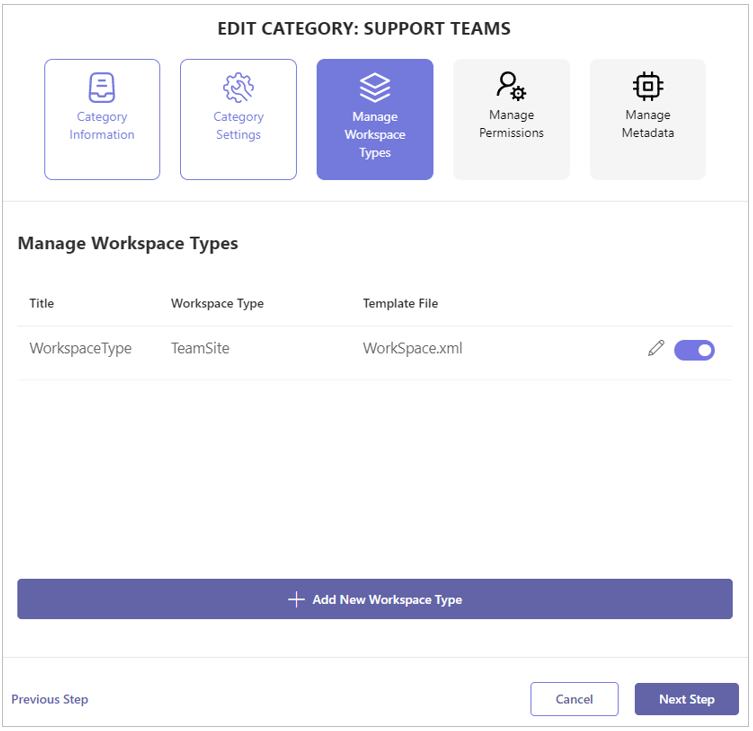
The newly configured workspace type is displayed within the list of the category’s workspace types.
-
Configure any other workspace types within the Teamsite (Site collection) workspace category.
-
Click Next Step to save your settings and to continue to the Manage Permissions step of the Teamsite (Site collection) workspace category configuration.
Continue the fourth step of the configuration process with the instruction Manage Teamsite (Site collection) Permissions.